bekal toto Casino & Sportsbook Mobile App
Getting started on bekal toto works best on your phone. Whether you use Android or iOS, our mobile-first platform lets you access live football markets, sportsbook coverage for Liga 1 and international tournaments, live-dealer tables like blackjack and roulette, and esports betting on Mobile Legends and Free Fire—all from a single app or browser. Our services are available only in jurisdictions where local law permits.

- StartFirst Game
- Installin
- DownloadAPK
On Android, you can download our APK directly and install it in minutes without visiting an app store. iOS users access bekal toto through Safari or any mobile browser, where our progressive web app (PWA) performs like a native application. Both paths offer the same account, payment methods, and game library. Network requirements are minimal: a stable 3G connection handles account login and payment processing, though live-dealer streaming and sportsbook updates benefit from 4G or WiFi.
Once installed, you log in with your username or email, deposit via DANA, e-wallet, mobile banking, local payment, online payment, e-wallet, or bank virtual account, and start exploring our full range of entertainment options. The mobile experience is optimized for touch, with quick navigation between sportsbook markets, live tables, and slot games. Your account, transaction history, and payment methods sync instantly across all devices.
How to access bekal toto on your mobile device
Android APK installation
Android users can download our APK file directly from the bekal toto app page. Before installation, open your phone's Settings, navigate to Security or Apps, and enable "Unknown sources" or "Install from unknown sources"—this allows you to install apps outside Google Play. Once enabled, open the downloaded APK file and follow the on-screen prompts. Installation takes less than a minute. After setup, you can log in immediately or create a new account. The APK receives regular updates; your phone will notify you when a new version is available.
iOS browser access
iPhone and iPad users open Safari (or Chrome, Firefox, or Edge) and visit bekal toto directly. No installation is required. The site detects your device and adapts the interface to your screen size. You can bookmark the page for quick access, or add bekal toto to your home screen by tapping Share and selecting "Add to Home Screen"—this creates an icon that launches the app-like experience without a formal installation. iOS 12 and later support this feature seamlessly.
Installation walkthrough
-
1
Download the APK (Android) or open Safari (iOS)
Android: visit the bekal toto app page and tap the download link. iOS: open Safari and navigate to bekaltoto.app.
-
2
Enable installation (Android only)
Go to Settings → Security → Unknown sources and toggle it on. This step is not needed for iOS.
-
3
Install or bookmark
Android: tap the APK file and confirm installation. iOS: tap Share and select "Add to Home Screen" for quick access.
-
4
Log in or register
Enter your username and password, or create a new account. Verify your email and phone number to unlock full access.

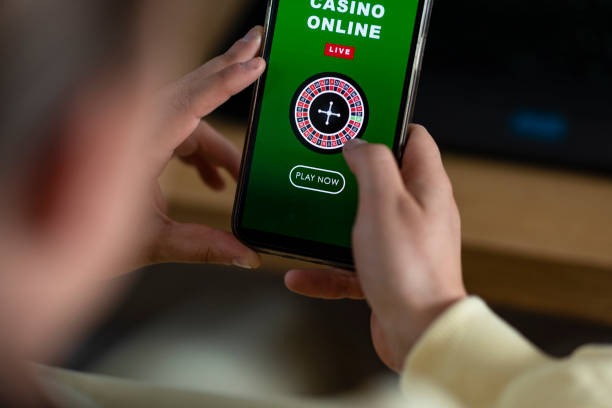

App versus browser: which is right for you
The bekal toto APK and our mobile web app deliver nearly identical experiences, but each has strengths. The APK installs locally on your Android device, which means it caches game assets and loads faster on repeat visits. Push notifications alert you to live football matches, Liga 1 updates, and promotional offers. The browser version (iOS and Android) requires no installation and works on any device with Safari, Chrome, or Firefox. It updates automatically without user action. Both support offline account access: if your connection drops, you can still view your balance and transaction history. Choose the APK if you want speed and notifications; choose the browser if you prefer simplicity and no storage footprint.
Device compatibility
Our bekal toto app supports Android 7.0 and later on phones and tablets. iOS users need iOS 12 or later to access the browser version. Older devices may experience slower performance or missing features, but basic account login and payment processing work on most hardware from the past five years. If you encounter compatibility issues, contact our support team with your device model and operating system version.
Troubleshooting common installation issues
If the APK fails to install on Android, first confirm that "Unknown sources" is enabled in your security settings. Some devices require you to enable it per app rather than globally; check your phone's documentation. If you see a certificate warning, this is normal for APK files downloaded outside the Play Store—tap "Install anyway" to proceed. For iOS users, if the home-screen shortcut does not work, try clearing your Safari cache (Settings → Safari → Clear History and Website Data) and re-adding the bookmark. If bekal toto loads slowly, check your network connection and try switching between WiFi and mobile data. Persistent issues can be resolved by contacting our support team.
Data, permissions, and account security
When you install the bekal toto app or access it via browser, we request permission to store data locally on your device and access your camera for identity verification during KYC. We do not access your contacts, calendar, or other personal files. All communication between your phone and our servers is encrypted using industry-standard TLS protocols. Your account credentials are never stored in plain text; we use secure hashing and salting. When you deposit via DANA, e-wallet, mobile banking, local payment, online payment, e-wallet, or bank transfer, payment data is processed by trusted third-party providers and never stored on our servers. We comply with applicable data protection standards and regularly audit our security practices.
Key takeaways
- Android users download the APK; iOS users use Safari or any mobile browser
- Installation takes under a minute; no app-store account required
- Both paths offer the same sportsbook, live-dealer, and esports markets
- Your account syncs instantly across all devices
- bekal toto services are available only where local law permits
Getting started with deposits and withdrawals
Once your account is set up, you can deposit using mobile banking, local payment, online payment, e-wallet, mobile banking, local payment, or bank virtual accounts (online payment, e-wallet, mobile banking, local payment). online payment offers the fastest path: open your e-wallet app, scan the QR code displayed on bekal toto, and confirm the amount. Most deposits credit within seconds. For bank transfers, you receive a unique virtual account number; send funds to that account and your balance updates automatically. Withdrawals follow the same path: request a withdrawal to your registered payment method, and funds typically arrive within one to three business hours. Larger withdrawals may require additional verification. Our support team in Jakarta, Surabaya, Bandung, and other major cities can assist with any questions about deposits, withdrawals, or account verification.
Our team is ready to help with installation, account setup, payment methods, and any technical questions about accessing bekal toto on your phone.